On this page
Applying for equivalence in Nepal
If you completed a qualification outside Nepal and need it recognised here, an equivalence determination may be part of your next step. The service is now handled through the University Grants Commission (UGC): TU CDC has published a transition notice, and UGC provides the university-coordination division and current portal.
The UGC equivalence portal presents an online account, document-submission, payment, and certificate-issuance flow. Because this transition is recent, confirm the live portal and the notice for your qualification before treating any field, fee, or timeline as final.
Before you apply
- Start at the current UGC equivalence portal and confirm that it links back to the UGC Nepal organisation and contact details.
- Read the current notice and portal instructions for your qualification and country of study before preparing or translating documents.
- Prepare the degree certificate and transcript, the immediate lower-level qualification, and any additional evidence the portal requests. The portal currently describes different requirements for regular and procedural equivalence, and additional evidence may apply to research degrees.
- Confirm the fee, payment method, processing expectation, and any collection or certificate-delivery step shown for your application. Do not plan from an old TU fee or timing.
- Keep copies of the notice, application record, receipts, uploaded files, and any written response you receive.
The current portal describes regular equivalence for qualifications already evaluated and procedural equivalence for a university or programme being assessed for the first time. That distinction matters: a first-time or subject-committee review may take longer than a routine application, so the portal’s case-specific instruction should control.
Requirements can differ by qualification and purpose. Do not rely on the former TU CDC portal screens, a fixed fee, a file-size limit, or a stated processing time as current rules.
Important note for NEC, NOC, study, or employment
An equivalence certificate may be requested in some situations, but the requirement depends on the organisation and the applicant’s circumstances. Confirm the requirement with the institution, regulator, bank, employer, or visa authority that asked for it. For NEC registration, the official portal lists an equivalence certificate for foreign-study candidates if applicable; see the NEC registration guide.
Official sources
- TU CDC notice on the transfer of higher-education equivalence work
- UGC equivalence portal
- UGC university-coordination division
- University Grants Commission Nepal
Earlier process: step-by-step reference
Step-by-Step Guide to Apply TU Equivalence Online
1. Visit the official TU Equivalence portal:
Visit the official TU equivalence portal and click on the button Register for Equivalence.

2. Create an account:
If you are a new user, then you will have to create an account.
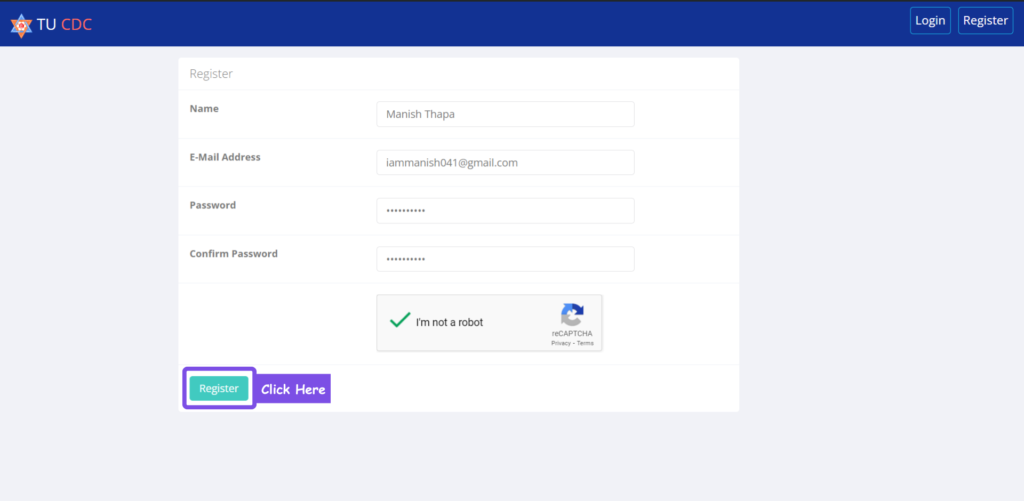
Fill up your full name and your email address, set up a password, and click on the Register button.
3. Verify your email:
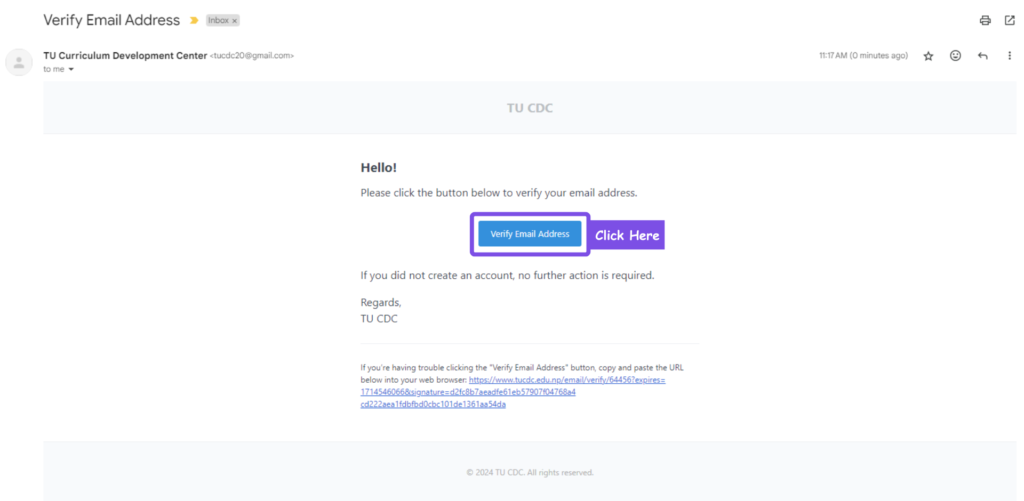
You will get an email with your registered email ID. Verify your email to activate your account.
4. Log in to your account:
Once your account is activated, log in to your account using your email and password.
5. Update your profile:
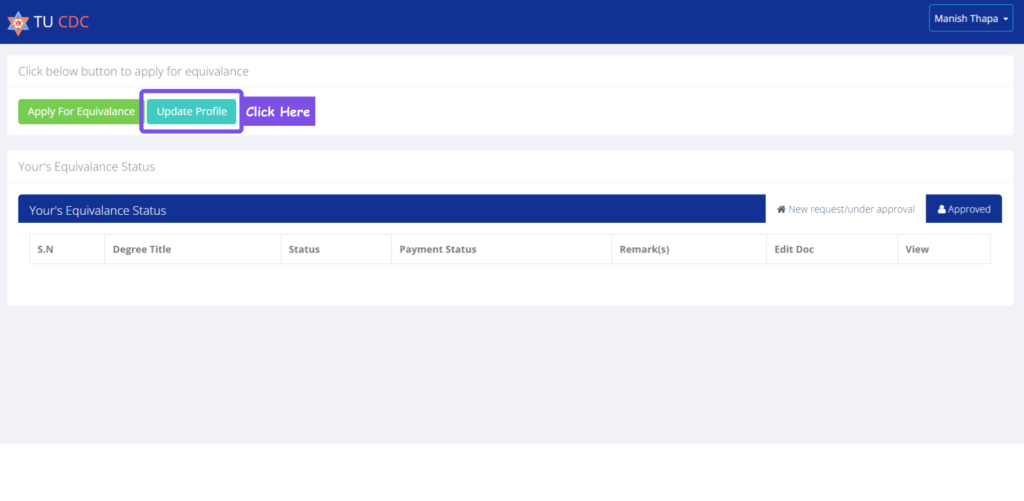
Click on the update profile button.
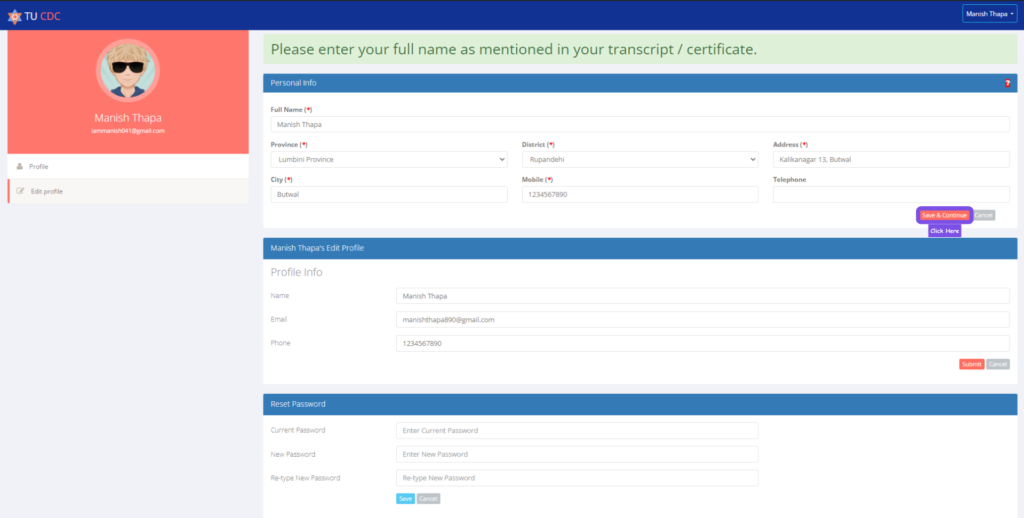
Update your personal information with your details, which are in your transcript. and Click on the save and continue button to save the details.
6. Apply for equivalence:
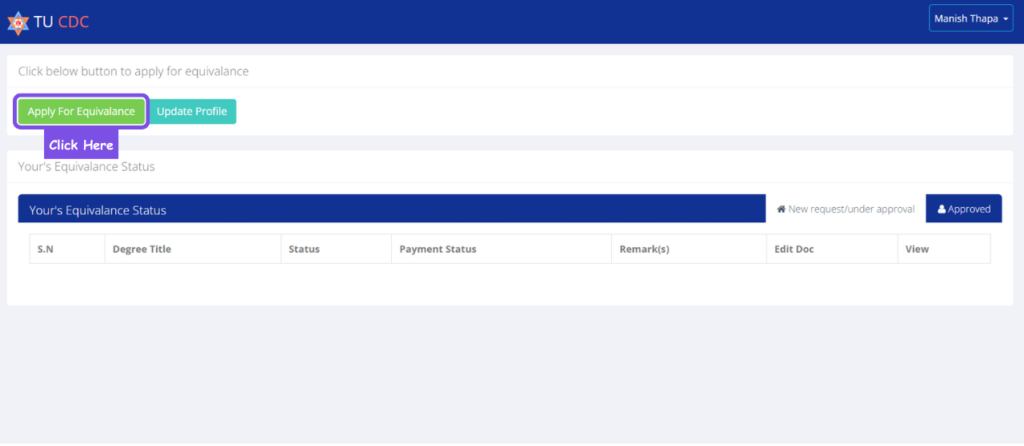
Come back to the home page and click on the apply for equivalence button.
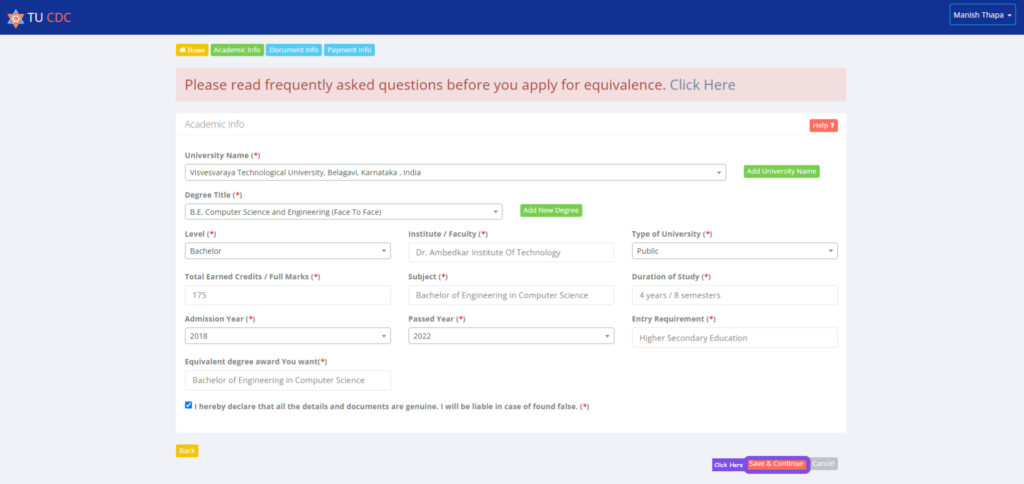
Fill up all the details, like the university name, degree title, etc.
If your university is not listed in the drop-down, then click on the add university button to add your university.
Click on the save and continue button to proceed further.
7. Upload required documents:
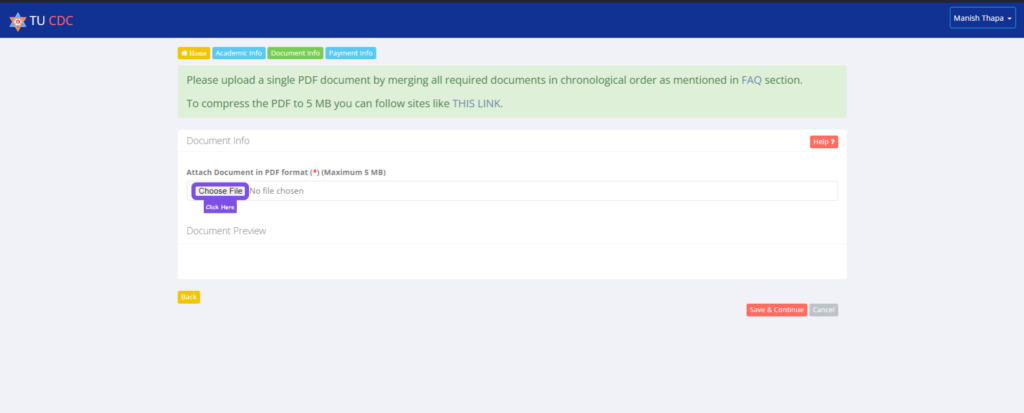
Merge all the required documents for the TU Equivalence application mentioned above into a single PDF file.
You can use online tools like ILovePDF, and make sure the combined pdf is not more than 5MB.
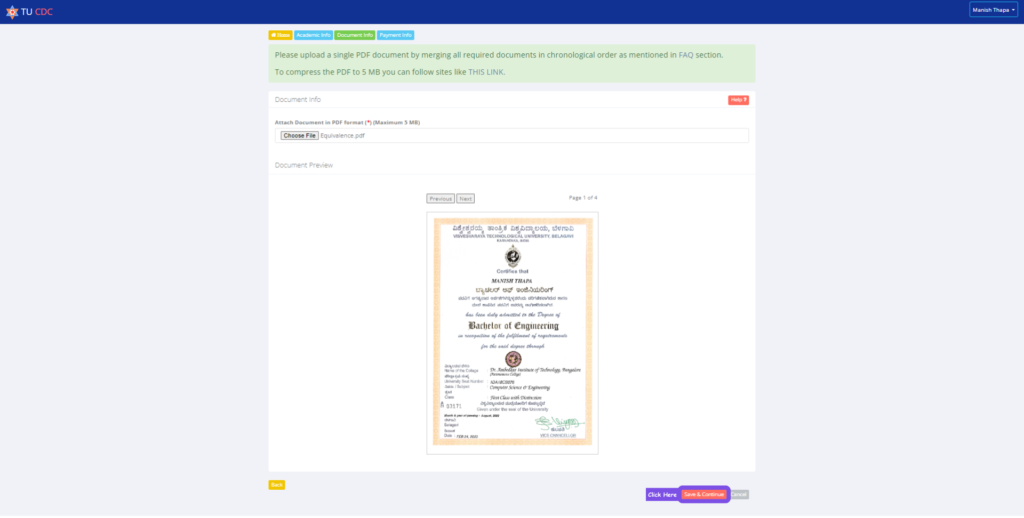
Click on the Choose File button and upload your pdf.
Click on the save and continue button once the pdf is uploaded.
8. Pay the TU equivalence fees:
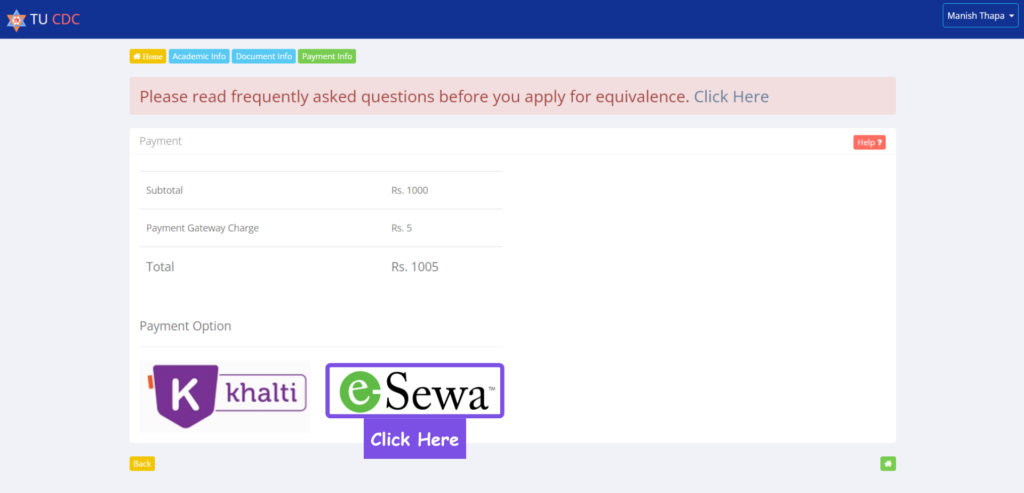
You will come to the payment section.
If you have selected the existing university, you will need to pay NPR 1000, but if your university is not there and you have added a new university, you will need to pay NPR 4000.
Click on the desired platform through which you want to make the payment. Here, I have chosen Esewa for the payment.
9. Payment through Esewa:
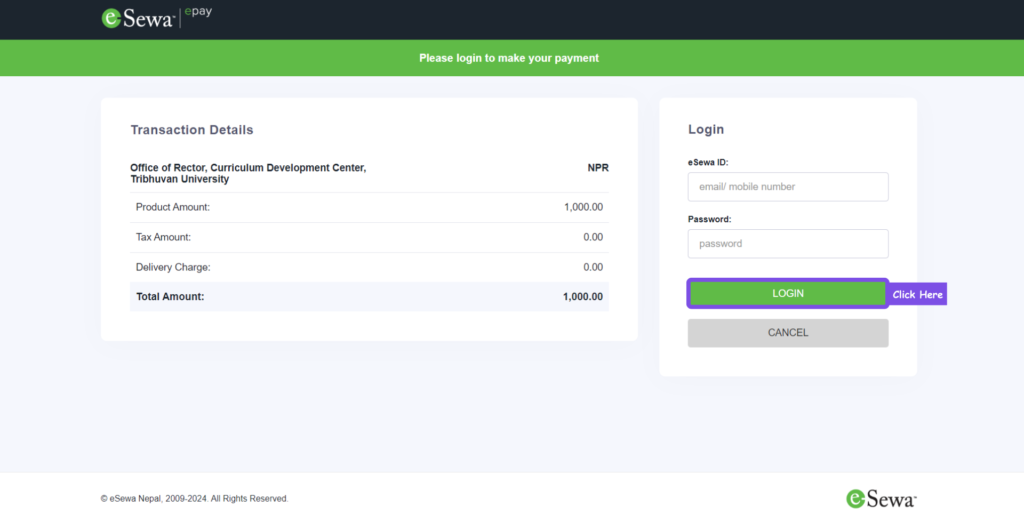
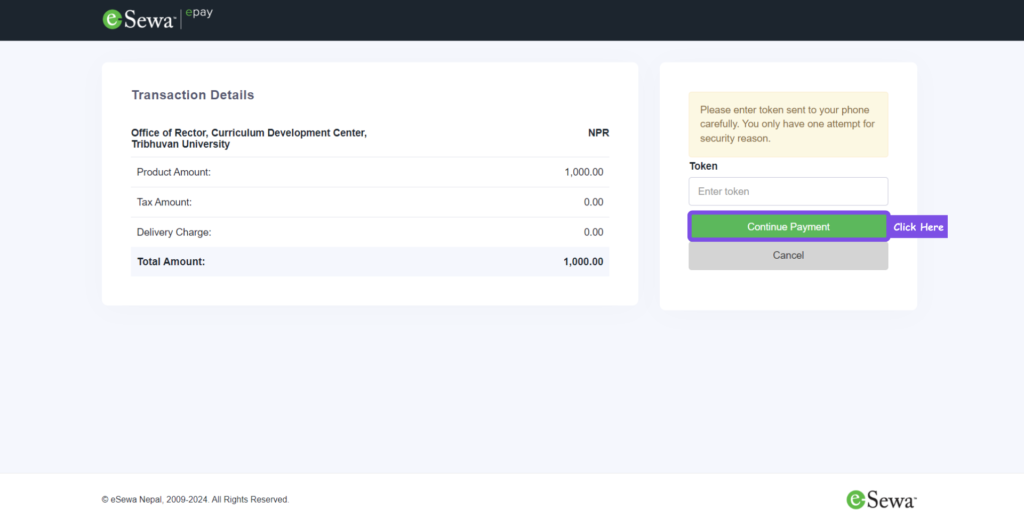
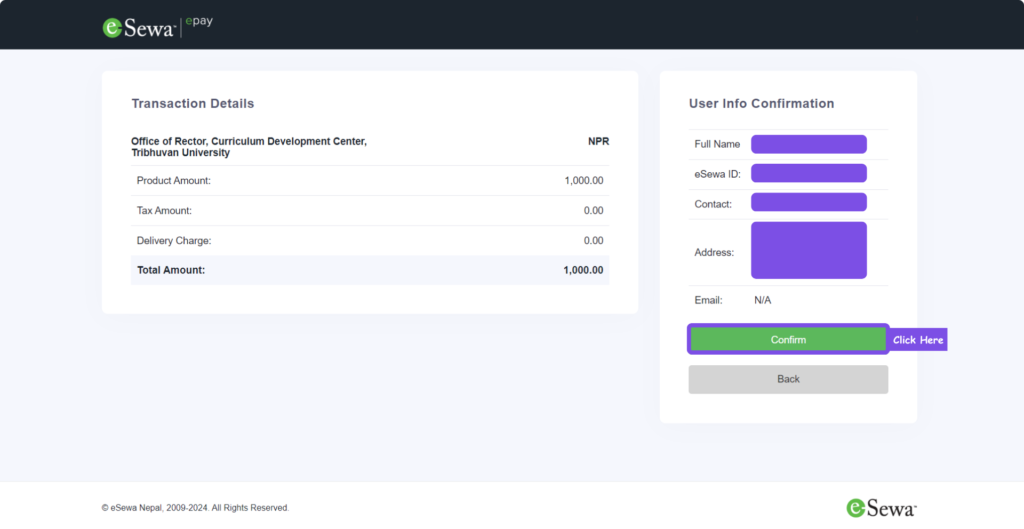
In the case of Esewa, login to your Esewa account.
Confirm your payment details. And complete the payment.
10. Post payment:
After the payment, you may see a blank page, but there is no need to worry.
You can login to your account once again in a new tab.
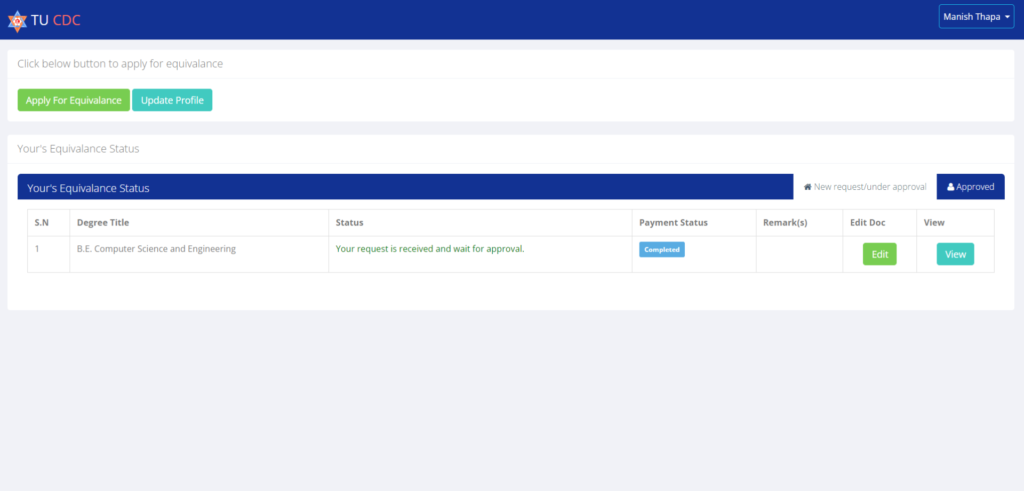
There, you would be able to see that your payment is in a completed state.
You can track your application here, and if you want to edit your application, you can do that as well.
11. Track your application:
After one or two days, you will be able to see if your TU equivalence request is approved or declined.
If your request is declined, you will need to follow the steps as stated in the remarks.
Once done, your application will be re-evaluated again.
Frequently Asked Questions
Can I still follow the old TU CDC online steps?
No. TU CDC’s notice says it stopped accepting higher-education equivalence applications from 2083/04/01. Check UGC’s current official notice and route before submitting anything.
How much does equivalence cost?
Confirm the fee shown by the UGC portal for your application. A current public UGC fee schedule for this process was not available for verification.
How long will it take?
Ask the authority handling your application and follow any estimate attached to your case. Do not plan around the timing shown in the former TU process because the responsible authority and review path have changed.
What is the difference between regular and procedural equivalence?
The current UGC portal describes regular equivalence for qualifications already evaluated and procedural equivalence for a university or programme being assessed for the first time. Check which path the portal assigns to your application and follow its document and review instructions.
Should I follow an old TU CDC screenshot?
No. TU CDC’s transition notice says it stopped accepting higher-education equivalence applications from 2083/04/01. An old screenshot may explain the former process, but the current application route and requirements must come from UGC.